Screenshot organizer for Android · Coming soon

Every screenshot in its box. Found in a second.

Shotbox is a private screenshot organizer for Android. It reads the text in your screenshots right on your phone, so you can swipe new ones into boxes, search for any word in them, and clear out duplicates.
No account No cloud Works offline Android 13+
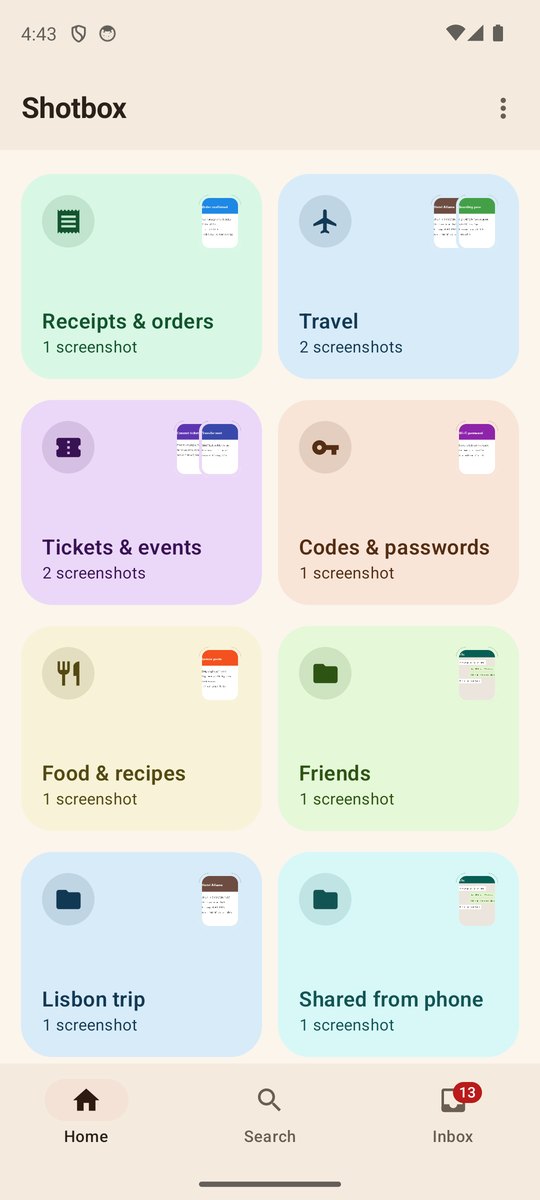
Shotbox screenshot organizer: colorful boxes for receipts, travel, tickets, codes and passwords, recipes, friends and a Lisbon trip
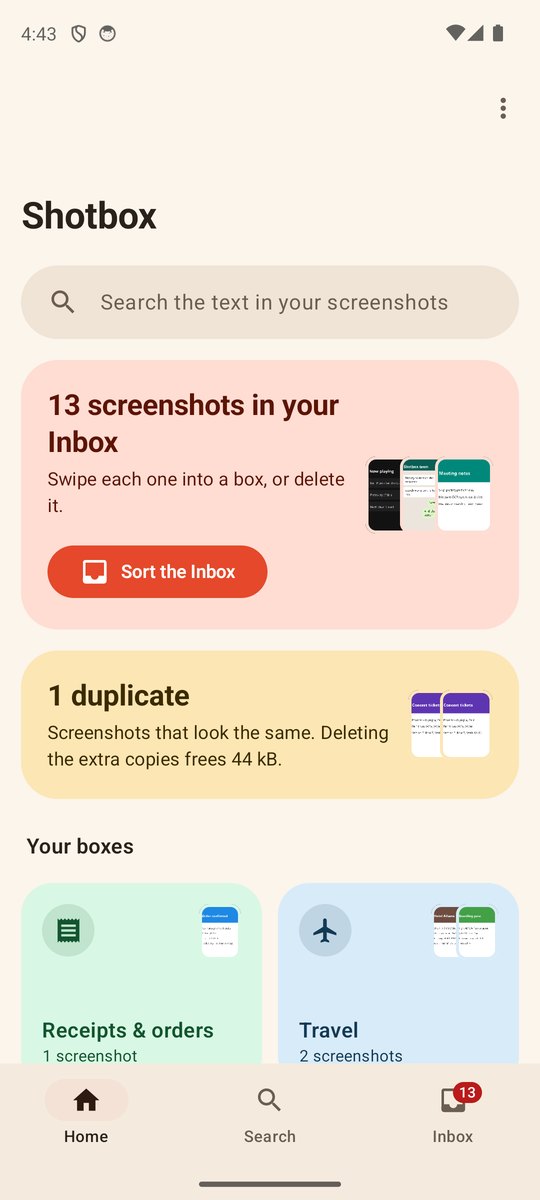
Shotbox Home: a search bar, a card saying 13 screenshots in your Inbox with a Sort the Inbox button, a duplicates card, and your boxes
The Inbox

New screenshots land in one pile. Swipe each one into its box.

Shotbox reads the screenshot and suggests a box. You make the call with one swipe.
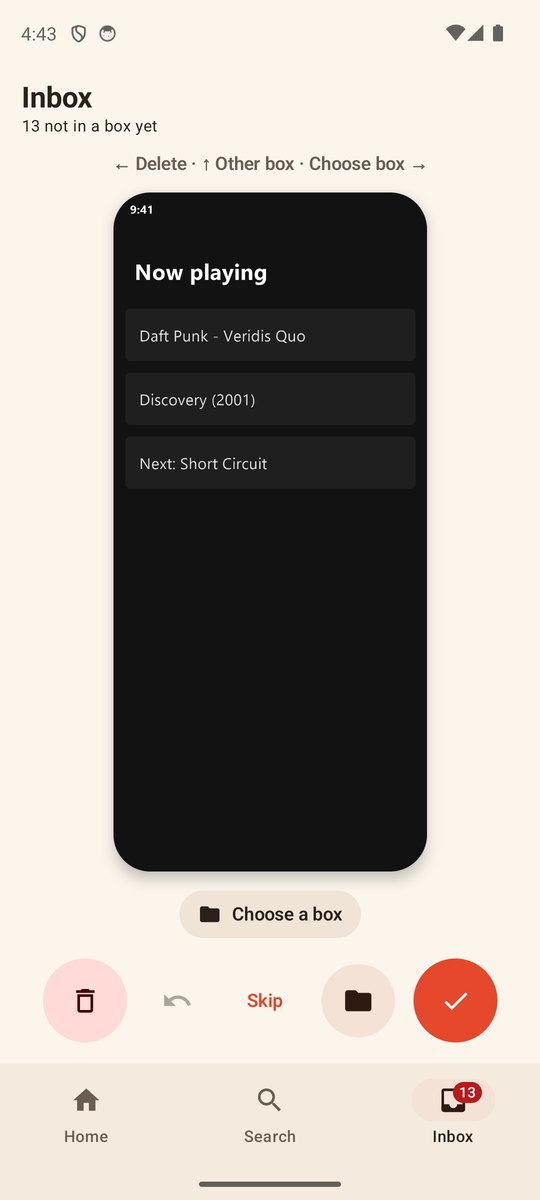
  • Swipe rightFile it in the suggested box.
  • Swipe upPick another box, or make a new one right there.
  • Swipe leftDelete it. It stays in the phone's trash for 30 days, and Undo is one tap away.
Shotbox Inbox showing a Now playing screenshot with delete, undo, skip, box and file buttons
The InboxOne screenshot at a time, with the box it goes to.
Boxes

Boxes you make, for the things you keep.

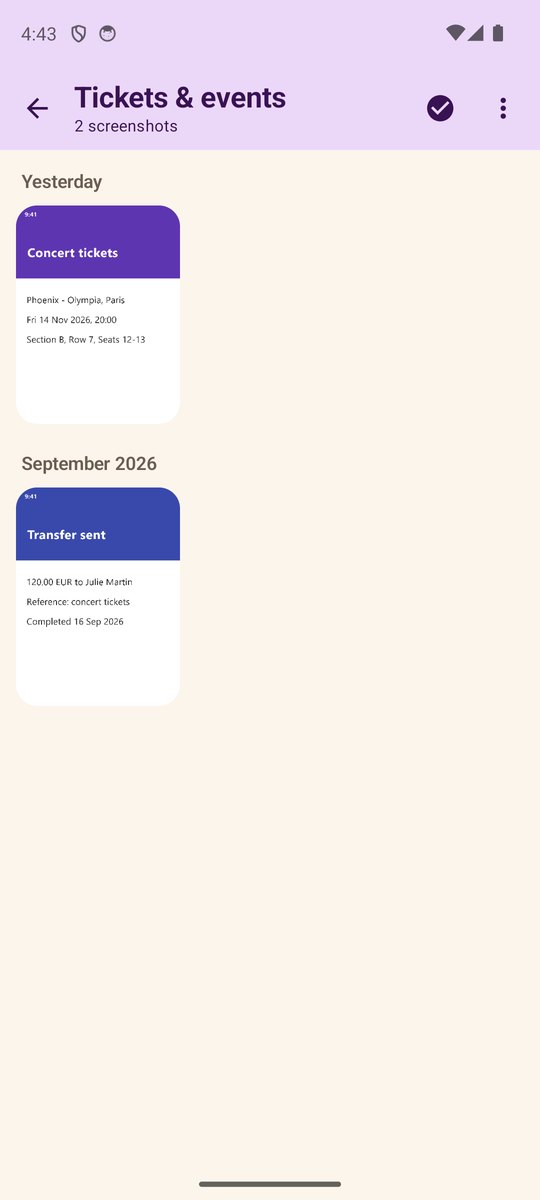
Receipts, a trip, tickets, recipes. Give a box a name and a color. Every screenshot lives in one box, so nothing gets lost in two places.
  • Rename, recolor or delete a box any time
  • Select many screenshots and move or delete them at once
Tickets and events box with concert tickets and a transfer receipt
A boxGrouped by day and month.
Cleanup

Spot the copies. Delete them in one go.

Shotbox finds screenshots that look the same and keeps one of each: the one you starred or put in a box, otherwise the newest.
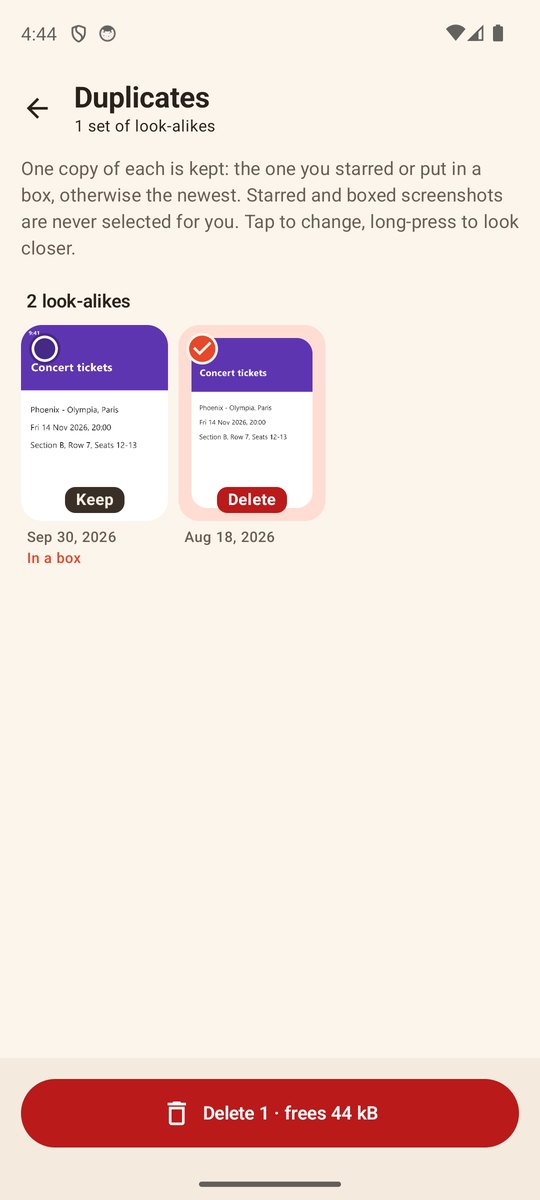
  • See how much space the extra copies take
  • One confirmation for the whole batch
  • Deleted copies stay in the phone's trash for 30 days
Duplicates screen with two look-alike concert tickets, one marked Keep and one marked Delete
DuplicatesThe boxed copy stays. The extra goes.
Save from any app

Found an image somewhere else? Share it to Shotbox.

Pick Shotbox in Android's Share menu, choose a box, and you're back where you were. The image is saved as a normal file in your Pictures folder.
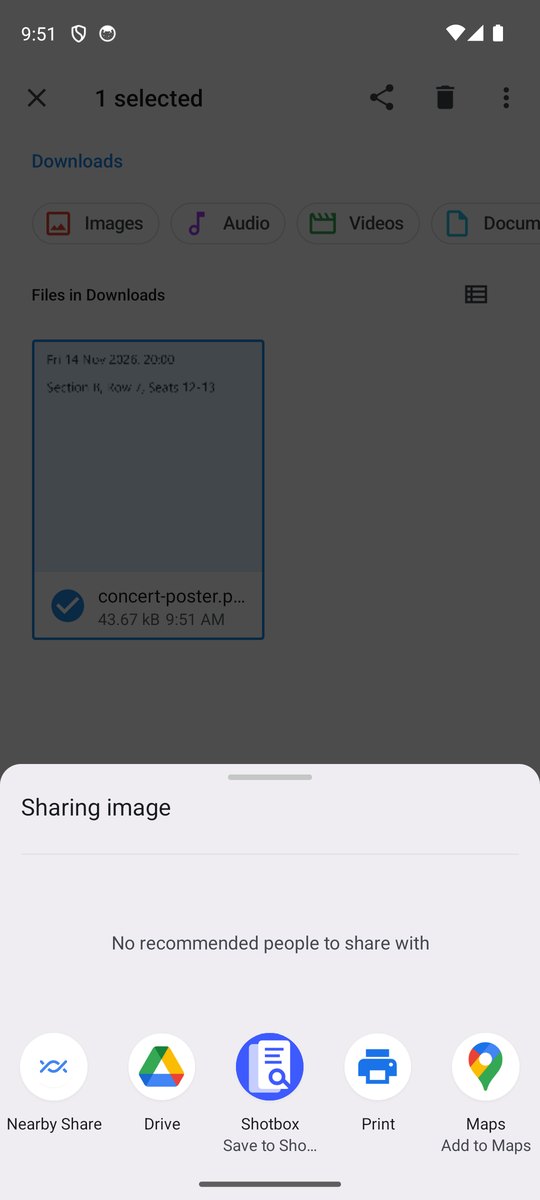
Android share menu with Shotbox, Save to Shotbox, next to Drive and Maps
Share menuSave to Shotbox sits next to your other apps.
Also in Shotbox

Built for a phone with thousands of screenshots.

Search the text inside

Type a code, a store or a street name, and get the screenshot that has it.

Ready instantly

Every screenshot shows up the first time you open the app. No overnight setup.

Your files stay yours

Screenshots stay normal files in your gallery, even if you uninstall.

Star what matters

Starred screenshots are never picked for cleanup.

Private by design

Your screenshots never leave your phone.

Screenshots hold bank details, chats and passwords. Shotbox reads them on the phone itself, and there is no Shotbox server to send them to.

  • Text is read on your phone
  • No account to create
  • No cloud upload, ever
  • Works in airplane mode
Questions

Good to know

Which phones does it work on?

Android phones running Android 13 or newer. An iPhone version isn't planned yet.

Does Shotbox upload my screenshots?

No. Reading the text, searching and sorting all happen on your phone. Shotbox has no servers and no accounts.

What happens to my screenshots if I uninstall?

They stay in your gallery. Shotbox never moves them into a hidden vault. Your boxes are stored in the app, so they go away with it.

Can I get something back if I delete it by mistake?

Yes. Deleted screenshots go to Android's trash, where you can restore them for 30 days.

How much will it cost?

Pricing isn't set yet.

Coming soon

Stop scrolling for that one screenshot.

Shotbox is coming to Android phones running Android 13 or newer.